How do I change the email address I sign in with?
Ask for a code, which is sent to your current address, then enter it with the new address.
The short answer
Open your account page and choose to change your sign-in email.
Ask for a code. The code is sent to the address you use now, not to the new one.
Enter the new address and the code, then save.
You are signed out everywhere afterwards, so sign in again with the new address.
This works even if you sign in with Google and have never set a password.
Step by step
Sign in and open your account page.
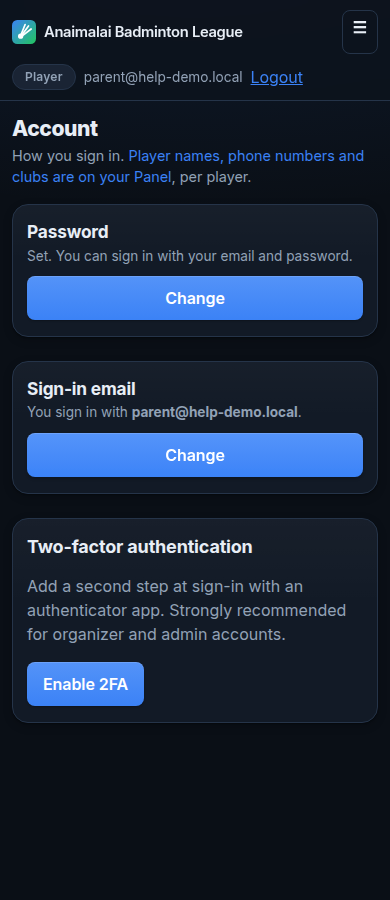
Choose to change your sign-in email, and ask for a code.
The code goes to your current address. This proves you still hold the address you are moving away from.
Open your current email and find the code.
Type the new address and the code, then save.
Sign in again using the new address.

Things that go wrong
You cannot open your current email any more
The code can only be sent there, so you cannot finish this yourself. Ask the organiser for help.
The new address is already registered
That address already has an account on this site. Sign in with it instead, or choose a different address.
Your old address is told about the change
We send a message to the previous address. If you receive one you did not expect, reply to it at once.